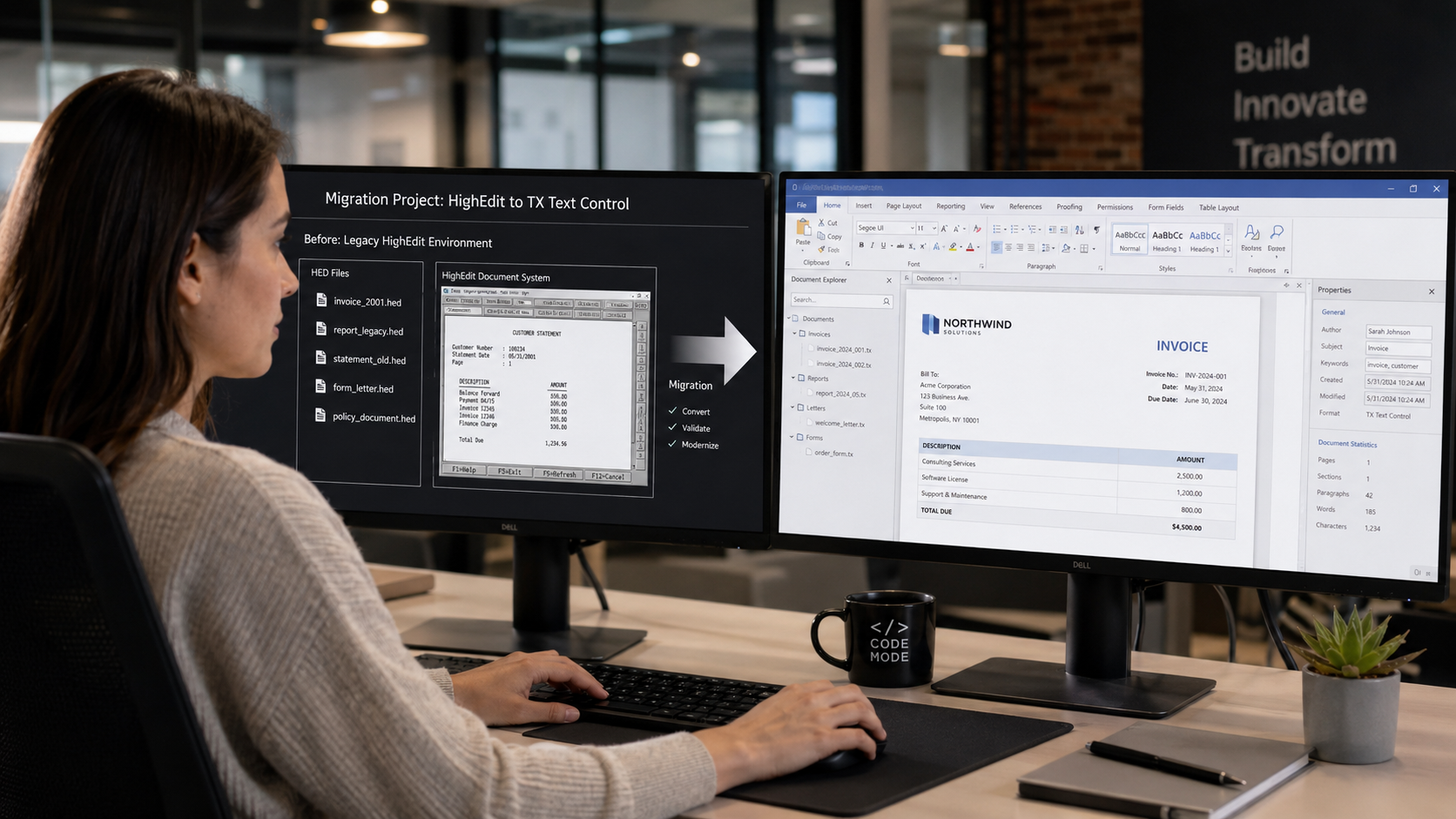
Replacing the document component in a mature application involves more than implementing a new editor.
Applications that used HighEdit may have accumulated years of existing content stored as HED documents.
When the application is modernized using TX Text Control, those historical documents and templates still need to remain available.
This creates two separate migration challenges:
- Replace the HighEdit functionality used by the application.
- Migrate the existing HED document repository.
HEDBridge addresses the second part by converting legacy HighEdit documents into modern formats that can be used by the new application.
HighEdit Was Part of the Application Architecture
HighEdit was commonly embedded directly into enterprise applications.
It could provide functionality such as:
- Document editing
- Reporting
- Letter generation
- Templates
- Rich text processing
- Document display
Over the lifetime of an application, this could produce a significant repository of HED files.
Replacing the component does not automatically make those historical files compatible with the new technology.
The migration therefore needs to address both the software and the content.
TX Text Control as a Modern Document Platform
TX Text Control provides document editing and processing functionality for modern application architectures.
Depending on the application, it can be used for scenarios such as:
- Web-based document editing
- Desktop document editing
- Server-side document generation
- Reporting
- Mail merge
- DOCX processing
- PDF creation
- Document conversion
For software vendors modernizing a HighEdit-based product, this allows the application to move to a current technology stack.
What Happens to the Existing HED Files?
Existing HED files do not need to be discarded or manually recreated.
Instead, they can be converted according to how they are used.
The key distinction is between historical documents and active documents or templates.
Historical Documents
Completed documents usually do not need to remain editable.
Examples include:
- Finalized reports
- Historical letters
- Patient correspondence
- Completed forms
- Archived invoices
These documents can typically be converted to PDF or PDF/A.
The modern application can then display or archive the PDF without requiring HighEdit.
Active Templates
Templates have different requirements.
A letter template that is still used to create new documents must remain editable and may need to participate in document automation.
These documents can be converted to an editable format such as DOCX and then adapted to the new TX Text Control workflow.
Examples include:
- Standard letters
- Report templates
- Forms
- Correspondence templates
- Document generation templates
Separate Content Migration from Application Logic
An HED document contains document content, but a legacy HighEdit application may also contain application-specific logic.
For example, the application may determine:
- Which template to load
- Which data is merged
- Where the file is stored
- Which user can edit it
- When a document becomes final
- Which database record references it
Those concepts belong to the surrounding application rather than the document format itself.
A HighEdit migration should therefore distinguish between document migration and application migration.
HEDBridge handles the legacy document content, while the application logic is implemented using the new technology stack.
A Typical HighEdit to TX Text Control Migration
A practical migration can be structured in several stages.
1. Inventory the Existing HighEdit Usage
Identify where HighEdit is used in the application.
Determine whether it is responsible for:
- Interactive editing
- Document generation
- Templates
- Reporting
- Document display
- Printing
- File conversion
2. Inventory the HED Repository
Determine:
- How many HED files exist
- Where they are stored
- How they are referenced
- Which are historical documents
- Which are templates
- Which are still actively modified
3. Choose Conversion Targets
A typical strategy might be:
| Existing Content | Target |
|---|---|
| Historical completed document | PDF/PDF-A |
| Active template | DOCX |
| Editable working document | DOCX |
| Content used directly by new document workflow | TX Text Control compatible format |
4. Convert the Existing Documents
Use HEDBridge to convert the HED repository in batches.
For historical documents and editable templates, one console run can create both PDF and DOCX outputs:
HEDBridge.exe /s:D:\HighEdit\HED /d:D:\Migration\Converted /f:pdf,docx --recursive --continue-on-error
If the modern workflow needs TX output instead, select the documented tx format:
HEDBridge.exe /s:D:\HighEdit\HED /d:D:\Migration\TX /f:tx --recursive --continue-on-error
5. Implement the New Document Workflow
Replace HighEdit application functionality using TX Text Control.
6. Validate the Complete Workflow
Verify not only the document appearance but also application behavior such as loading, saving, editing, generation, and archive access.
Preserve Existing Database References
Legacy applications may use document identifiers such as:
DocumentId = 736281
Filename = 736281.hed
During migration, the relationship can often be preserved:
DocumentId = 736281
Filename = 736281.pdf
or:
DocumentId = 736281
Filename = 736281.docx
Keeping identifiers stable can reduce the amount of database migration required.
Modernize Templates Carefully
Converted templates may require additional work depending on how the legacy application implemented document automation.
For example, the HighEdit application may have inserted dynamic content using proprietary application logic.
After conversion, these areas can be adapted to TX Text Control concepts such as document generation, merge fields, reporting structures, or application-controlled content.
The advantage is that the original layout and document content provide a starting point instead of rebuilding every template from scratch.
Migrate in Phases
A complete replacement does not necessarily need to happen in one step.
Large applications may use a phased approach:
- Convert representative HED files.
- Implement one document workflow in TX Text Control.
- Validate output.
- Convert active templates.
- Convert historical documents.
- Move users to the new implementation.
- Retire the HighEdit dependency.
This reduces migration risk and makes the project easier to validate.
HEDBridge Connects the Old and New Environments
TX Text Control provides the platform for modern document workflows.
HEDBridge provides access to the documents created by the previous HighEdit environment.
Together, they allow organizations and software vendors to modernize the application without abandoning years of existing document content.
Historical HED files can become PDF or PDF/A archives.
Editable documents can become DOCX.
Templates can be adapted to new document generation workflows.
The result is a migration that replaces the legacy document technology while preserving the value of the documents created with it.