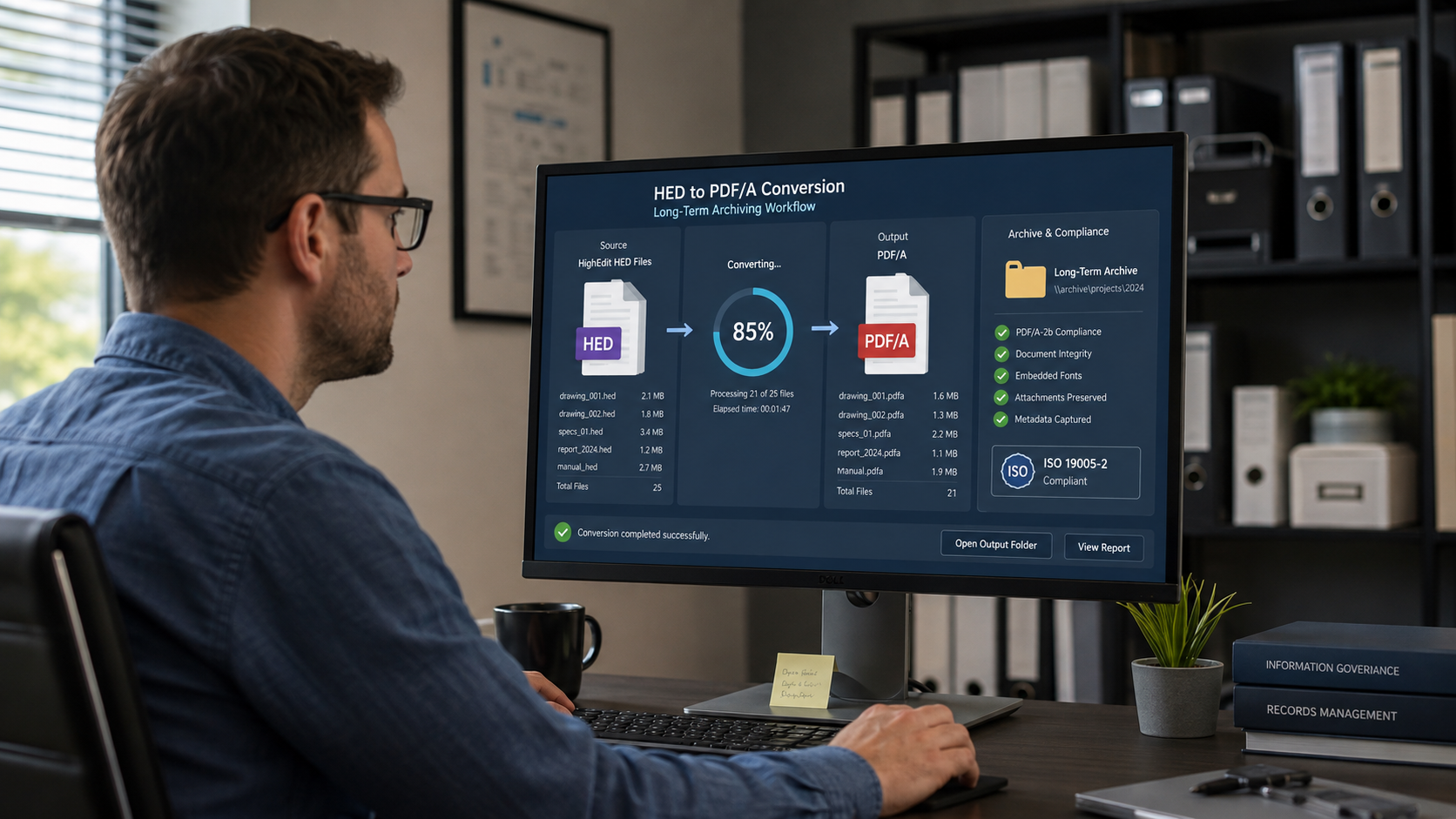
Organizations that have used HighEdit-based applications for many years may still have large repositories of .hed files. These documents can contain important business, clinical, administrative, or historical information, but the original HighEdit technology is no longer available as a modern document platform.
Keeping the files in their original format creates a long-term accessibility problem.
For documents that no longer need to be edited, converting HighEdit HED files to PDF or PDF/A is often the most practical way to preserve them.
With HEDBridge, existing HED archives can be converted into modern document formats without requiring organizations to maintain the original HighEdit application indefinitely.
Why Legacy HED Files Become an Archiving Problem
HighEdit was integrated into many business and healthcare applications as a document editing and reporting component.
The resulting HED documents were often stored outside the primary database in file repositories containing thousands or even millions of documents.
As long as the original application remained operational, this was usually not a problem. The software knew how to locate, open, and display the HED file.
The situation changes when the application is replaced or decommissioned.
Without compatible software, an HED file may still exist physically on a server or backup system, but users can no longer easily open or view it.
This is why document preservation should be part of every migration away from a legacy HighEdit environment.
Why Convert HED Files to PDF?
PDF is particularly useful when the purpose of the migration is to preserve an existing document rather than continue editing it.
A historical report, patient letter, invoice, correspondence document, or archived form usually needs to remain readable exactly as it was stored.
PDF provides several important advantages.
Broad Compatibility
PDF documents can be opened on virtually every modern operating system and device.
Browsers, archive systems, EHR platforms, document management systems, and enterprise applications generally support PDF without requiring specialized software.
After converting an HED file to PDF, access to that document no longer depends on the original HighEdit technology.
Fixed Document Layout
HighEdit documents can contain complex formatting such as:
- Tables
- Headers and footers
- Page breaks
- Paragraph formatting
- Fonts
- Images
- Forms
- Patient or customer information
- Generated report content
For archived documents, preserving the visual appearance is often more important than making the document editable.
PDF is designed to maintain a consistent fixed-layout representation.
Easier Migration to New Systems
Modern applications are much more likely to support PDF than proprietary legacy formats.
A migration can therefore convert the HighEdit archive first and then transfer the resulting PDF documents into the new system.
This simplifies the destination system because it does not need to understand the original HED format.
PDF or PDF/A?
Standard PDF is suitable for many document migration scenarios.
For long-term preservation, however, organizations may prefer PDF/A.
PDF/A is a family of ISO-standardized PDF formats designed specifically for electronic document archiving.
The goal is to make a document as self-contained and reproducible as possible so that it can still be rendered reliably in the future.
For this reason, PDF/A is commonly considered for:
- Long-term document archives
- Healthcare records
- Government documents
- Legal records
- Financial documents
- Compliance archives
- Records management systems
If historical HED documents need to remain available for many years, PDF/A can provide a stronger archival strategy than simply retaining the original proprietary files.
When Standard PDF Is Enough
PDF/A is not required for every migration.
Standard PDF can be the right choice when the documents are primarily intended for:
- Immediate migration into another application
- Viewing in a browser
- Downloading from a portal
- Shorter-term storage
- Integration into a system that already manages archival requirements separately
The target format should therefore be selected based on the purpose of the archive.
A simple rule is:
- Use PDF when convenient access and compatibility are the main goals.
- Use PDF/A when long-term preservation is an explicit requirement.
A Typical HighEdit Archive Migration
A legacy HighEdit repository may contain many years of documents.
A typical migration process can look like this:
- Locate the HED document repositories.
- Identify how the files relate to records in the existing application.
- Decide which documents should be preserved.
- Select PDF or PDF/A as the target format.
- Convert the HED files in batches.
- Validate the resulting documents.
- Preserve the relationship between documents and metadata.
- Import the converted documents into the new archive or application.
- Retain the original HED files according to the organization's migration and retention policy.
The conversion process should be designed so that each original document can be traced to its converted version.
Batch Converting Large HED Archives
Enterprise archives usually contain far too many documents for manual conversion.
For example, a legacy repository might contain files such as:
0000123456.hed
0000123457.hed
0000123458.hed
0000123459.hed
After conversion, the corresponding archive could contain:
0000123456.pdf
0000123457.pdf
0000123458.pdf
0000123459.pdf
Preserving identifiers or filenames can significantly simplify the migration because existing database references can be mapped to the new files.
HEDBridge is designed for these types of batch conversion workflows.
Instead of manually opening documents one at a time, complete collections can be processed as part of an automated migration.
The documented HEDBridge console command creates standard PDF output:
HEDBridge.exe /s:D:\Archive\HED /d:D:\Archive\PDF /f:pdf --recursive --continue-on-error
After conversion, run the generated PDFs through the PDF/A validator or archival pipeline required by your organization. HEDBridge's console documentation currently lists pdf, but does not expose a separate pdf/a output switch.
Preserve the Connection Between Documents and Metadata
A document file is often only one part of the information stored by a legacy system.
Important metadata may reside in a database rather than inside the HED document itself.
Depending on the application, this metadata can include:
- Patient or customer identifiers
- Document IDs
- Document categories
- Creation dates
- Modification dates
- Author information
- Encounter information
- Case numbers
- Storage paths
- Status information
When converting HED files to PDF or PDF/A, these relationships must not be lost.
A migration strategy should therefore define how the newly generated PDF document will remain connected to its original metadata.
This can be accomplished through filenames, unique identifiers, database mappings, export tables, or migration scripts.
Do Not Wait Until the Legacy Application Has Been Removed
The best time to analyze an HED archive is while the existing application is still available.
At that point, migration teams can still determine:
- Where HED files are stored
- Which database records reference them
- What each document represents
- Whether multiple document repositories exist
- Whether different HighEdit versions were used
- Which documents are still actively used
- Which documents are historical only
- Whether any files are templates rather than completed documents
Once the legacy environment has been removed, reconstructing this information may become much harder.
Document conversion should therefore be planned as part of the overall application or EHR migration, not as an afterthought.
Test Before Converting the Complete Archive
Before processing a complete HED repository, select a representative sample of documents.
Include files from different:
- Years
- Departments
- Document types
- Application versions
- Storage locations
- Templates
Then compare the original and converted documents.
Pay particular attention to:
- Text content
- Fonts
- Tables
- Page breaks
- Headers and footers
- Images
- Special characters
- Document dimensions
- Pagination
This allows unusual documents to be identified before a large batch conversion is started.
Validate the Conversion
For large archives, successful file creation alone is not enough.
A migration process should record the result of every conversion.
Useful information includes:
- Source filename
- Destination filename
- Conversion status
- Error information
- Processing date
- File size
- Output format
For example:
123456.hed -> 123456.pdf -> Success
123457.hed -> 123457.pdf -> Success
123458.hed -> Conversion failed
123459.hed -> 123459.pdf -> Success
This makes it possible to retry individual documents without repeating the complete migration.
It also provides an audit trail showing which legacy documents were successfully processed.
What About HED Files That Still Need to Be Edited?
Not every HighEdit document belongs in a read-only archive.
Some HED files may still be used as:
- Templates
- Letters
- Report definitions
- Editable forms
- Starting documents for new content
In those cases, converting everything to PDF may remove functionality that is still required.
A better migration strategy may divide the repository into different categories:
- Historical completed documents: PDF or PDF/A
- Documents that need continued editing: DOCX
- Documents used by a modernized application: TX Text Control compatible formats
HEDBridge supports different conversion targets so organizations do not have to apply the same strategy to every file.
HighEdit Archives in Healthcare
The challenge is particularly important in healthcare environments.
HighEdit technology was used in applications that generated and stored formatted clinical and administrative documents. Some healthcare organizations still have significant archives containing HED files.
When moving to another EHR or archive platform, the structured patient data and the associated documents must both remain accessible.
A migration might successfully transfer patient records from a database while leaving the formatted historical documents behind in an inaccessible HED repository.
Converting these documents to PDF or PDF/A makes it possible to move them into a modern archive while maintaining access for clinicians and administrative users.
HEDBridge for HighEdit Archive Conversion
HEDBridge provides a migration path for organizations that still depend on documents created with HighEdit.
It can convert legacy HED documents into modern formats including:
- DOCX
- RTF
- TXT
- HTML
- TX Text Control compatible formats
PDF/A is handled as a subsequent archival validation or normalization step when required by the retention policy.
The conversion can be performed locally, making HEDBridge suitable for environments where documents cannot be sent to external conversion services.
This is especially important for sensitive business records and healthcare documents containing protected information.
Modernize the Archive, Not Just the Application
Replacing a legacy application does not automatically modernize the documents created by that application.
If thousands of historical records remain stored as proprietary HED files, part of the legacy dependency still exists.
Converting these documents to a widely supported format removes that dependency.
For documents that should remain unchanged, PDF provides universal accessibility, while PDF/A provides an option specifically designed for long-term preservation.
For large repositories, HEDBridge provides the bridge between the original HighEdit archive and a modern document environment.
The result is an archive that no longer depends on discontinued software and can remain accessible long after the original application has been retired.