HighEdit was used for many years as a document editing and reporting technology in enterprise and healthcare applications. Although the original software is no longer actively available, many organizations still have large archives of documents stored in the proprietary HED format.
Those documents may contain important patient records, reports, correspondence, forms, invoices, templates, or other business information.
The challenge is that modern applications do not typically support HED files directly.
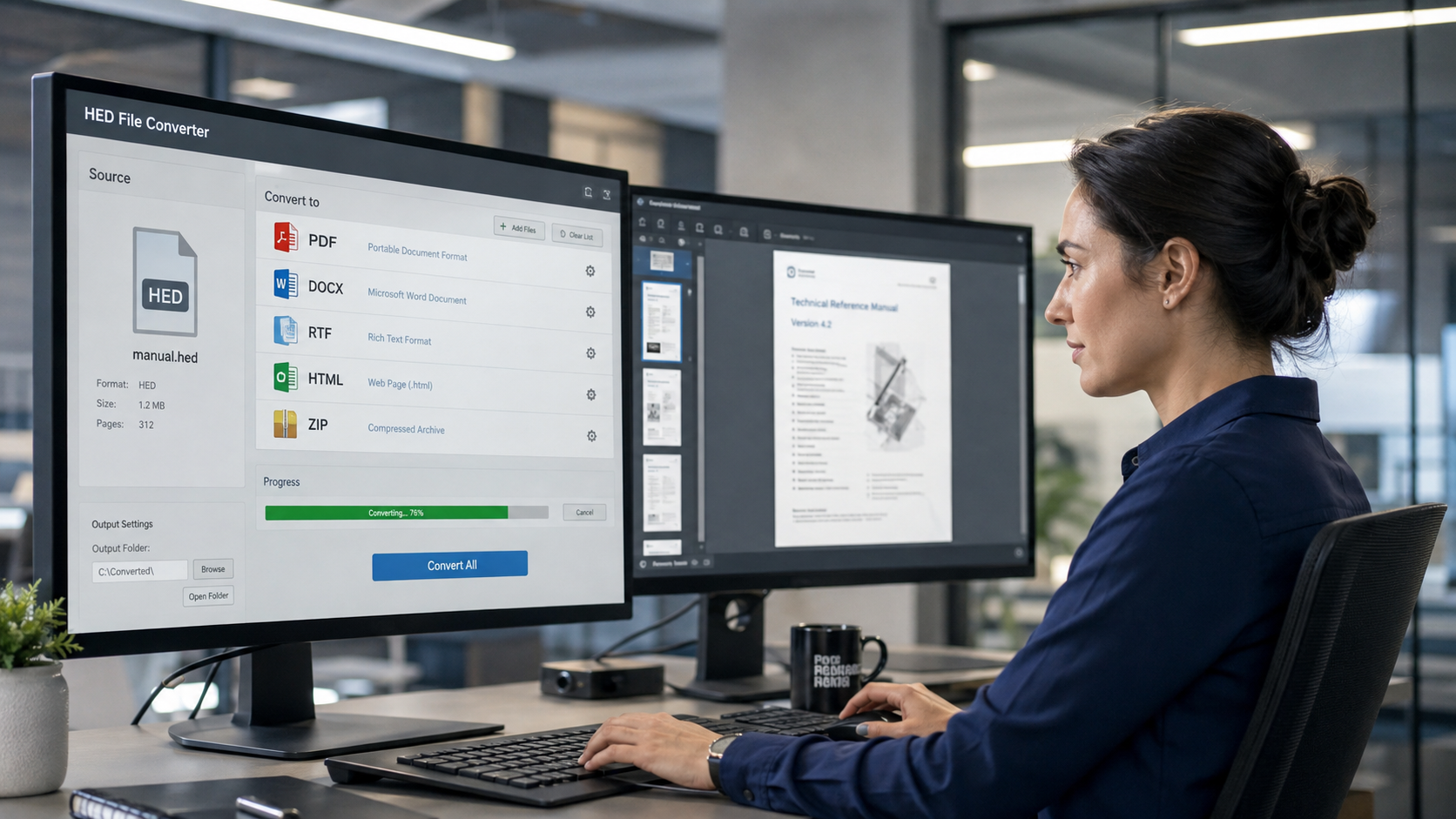
HEDBridge provides a way to convert these legacy HighEdit documents into modern formats such as PDF, DOCX, RTF, HTML, and TX Text Control compatible formats. PDF/A can be handled as a subsequent archival validation step when required.
Why Convert HighEdit HED Files?
An HED file can remain perfectly valid even though the application required to open it has been discontinued.
This creates a long-term dependency on legacy software.
Organizations may still need to maintain:
- Old application servers
- Unsupported operating systems
- Legacy application installations
- Historical databases
- Specialized document components
- Knowledge about the original system
Document conversion removes this dependency.
Instead of maintaining the entire original environment simply to access historical files, the documents can be moved to formats supported by current applications.
Which Format Should You Convert HED Files To?
There is no single correct target format.
The best choice depends on what you intend to do with the document after the migration.
A useful approach is to classify documents by purpose before converting them.
Convert HED to PDF for Completed Documents
PDF is usually the best option for documents that no longer need to be edited.
Examples include:
- Historical reports
- Completed letters
- Patient correspondence
- Invoices
- Archived forms
- Finalized business documents
PDF provides a fixed-layout representation that can be displayed by browsers, desktop applications, document management systems, EHR platforms, and archive systems.
The main advantage is independence from HighEdit.
Once the document has been converted, users no longer need the original application to view it.
Convert HED to PDF/A for Long-Term Preservation
When documents must be retained for many years, PDF/A may be preferable.
PDF/A is designed for electronic document preservation and is widely used in archival workflows.
This makes it particularly relevant for:
- Healthcare archives
- Financial records
- Legal documents
- Government records
- Compliance archives
- Long-term business records
Instead of preserving only a proprietary HED file, organizations can create an archival representation designed to remain accessible independently of HighEdit.
Convert HED to DOCX for Editable Documents
Some legacy documents still need to be modified after the migration.
Examples include:
- Letter templates
- Report templates
- Reusable forms
- Standard correspondence
- Working documents
For these scenarios, DOCX can be a better target than PDF.
DOCX is widely supported by modern document applications and document processing libraries.
Converting HED files to DOCX can therefore preserve editability while eliminating the dependency on the original HighEdit format.
Convert HED to TX Text Control Formats
Some organizations are not simply archiving HighEdit documents. They are modernizing an application that previously used HighEdit as its document technology.
In these projects, TX Text Control can be used as a successor platform for document editing, generation, reporting, and processing.
HEDBridge can be used to migrate the existing HighEdit document repository while the application itself is moved to TX Text Control.
This makes it possible to preserve historical content and continue working with editable documents in a modern application architecture.
Convert HED to HTML or RTF
HTML and RTF can also be useful depending on the destination system.
HTML may be appropriate when document content needs to be integrated into web applications or further processed as markup.
RTF can be useful for systems that rely on an established rich text interchange format.
The important point is that the migration does not need to apply the same target format to every HED file.
A Practical Conversion Strategy
A legacy repository can contain a mixture of document types.
A practical strategy may look like this:
| Document Type | Recommended Target |
|---|---|
| Historical completed document | |
| Long-term archive document | PDF/A |
| Editable document | DOCX |
| HighEdit application migration | TX Text Control |
| Web-oriented content | HTML |
| Rich text interchange | RTF |
This approach preserves the functionality actually required for each category of document.
Batch Conversion of HED Files
Legacy systems can contain hundreds of thousands or even millions of HED documents.
Manual conversion is therefore not realistic.
HEDBridge supports automated conversion workflows in which complete repositories can be processed systematically.
For example:
Source

100001.hed
100002.hed
100003.hed
100004.hed
can be converted into:
Output

100001.pdf
100002.pdf
100003.pdf
100004.pdf
Preserving the original identifiers makes it easier to reconnect converted documents to database records.
The same workflow can be run from a Windows console. This example creates PDF and DOCX files in one pass while continuing through the source folder:
HEDBridge.exe /s:D:\Archive\HED /d:D:\Archive\Converted /f:pdf,docx --recursive --continue-on-error
For a single document, provide the file path instead of the source folder:
HEDBridge.exe /s:D:\Archive\HED\100001.hed /d:D:\Archive\Converted /f:pdf,docx
Preserve Document Metadata
The HED file itself may not contain all of the information required during a migration.
A legacy application database may contain metadata such as:
- Patient ID
- Customer ID
- Document ID
- Document category
- Creation date
- Author
- Encounter
- Storage location
A complete migration should preserve both the converted document and the relationship to this metadata.
This is particularly important in healthcare and other environments where the document must be associated with a specific historical record.
Test Before Processing the Complete Archive
Before converting an entire repository, create a representative test set.
Include documents from different:
- Years
- Document types
- Templates
- Departments
- Application versions
Then verify important document characteristics including:
- Text
- Fonts
- Tables
- Images
- Headers and footers
- Pagination
- Page dimensions
- Special characters
Testing representative documents helps identify unusual files before a large batch conversion begins.
Convert Locally with HEDBridge
Legacy archives can contain confidential or regulated information.
Uploading documents to a public online converter may therefore not be appropriate.
HEDBridge is designed for local processing so that documents can remain within the organization's controlled infrastructure.
This is especially important for healthcare records and other sensitive business documents.
Modernize the Documents Along with the Application
Replacing an old application without addressing its document repository leaves part of the legacy architecture behind.
The application may disappear, but the organization remains dependent on HighEdit whenever someone needs to access an HED file.
Converting those documents removes that dependency.
With HEDBridge, organizations can choose the target format based on the purpose of each document:
- PDF for viewing
- PDF followed by PDF/A validation for archiving
- DOCX for continued editing
- TX Text Control for application modernization
- HTML or RTF for specialized migration scenarios
The result is a document repository that can continue to be used long after the original HighEdit environment has been retired.